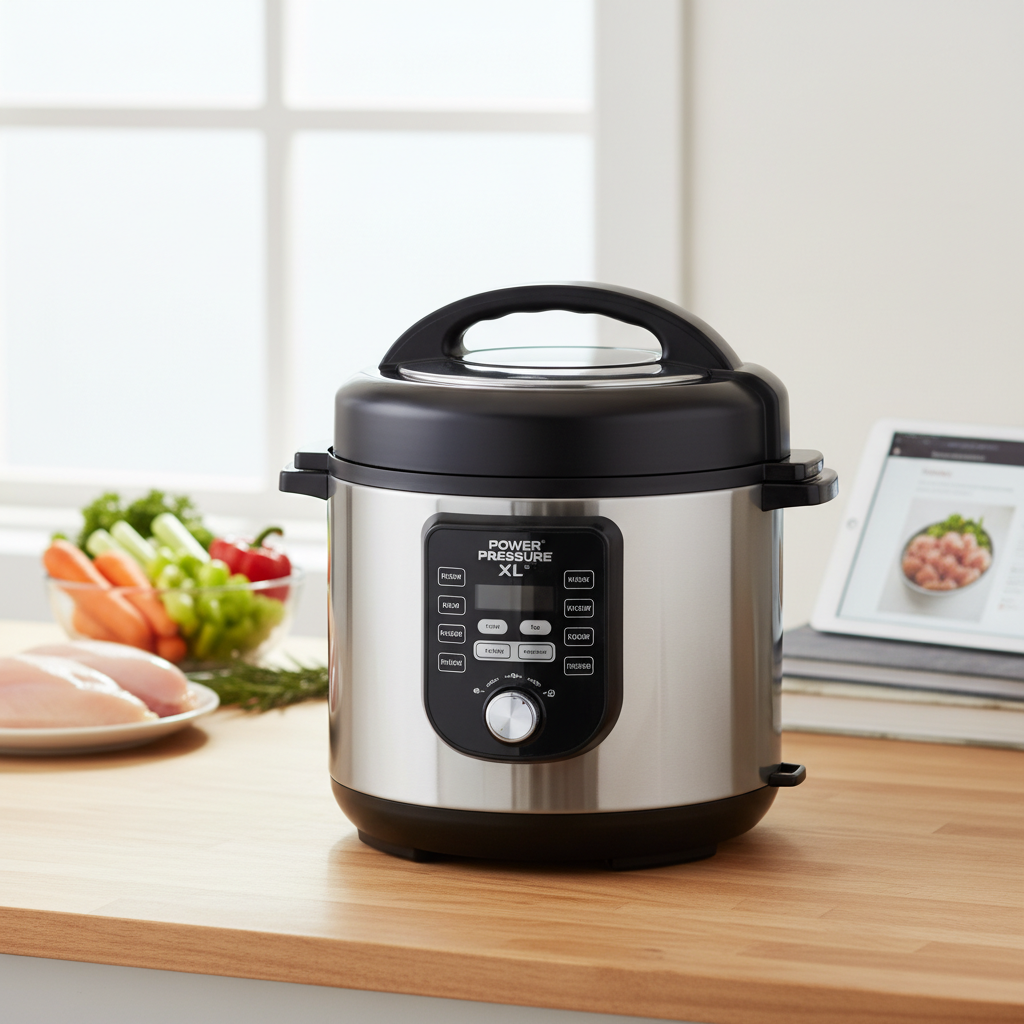
The way we interact with our devices is constantly evolving, yet a fundamental debate persists: the enduring preference for physical controls over touchscreens. As we look towards 2026 and beyond, this discussion intensifies, particularly concerning the choice between classic button interfaces and versatile dial knobs. This isn’t merely about aesthetics; it’s a critical examination of usability, precision, safety, and the overall user experience that shapes everything from our car dashboards to our kitchen appliances.
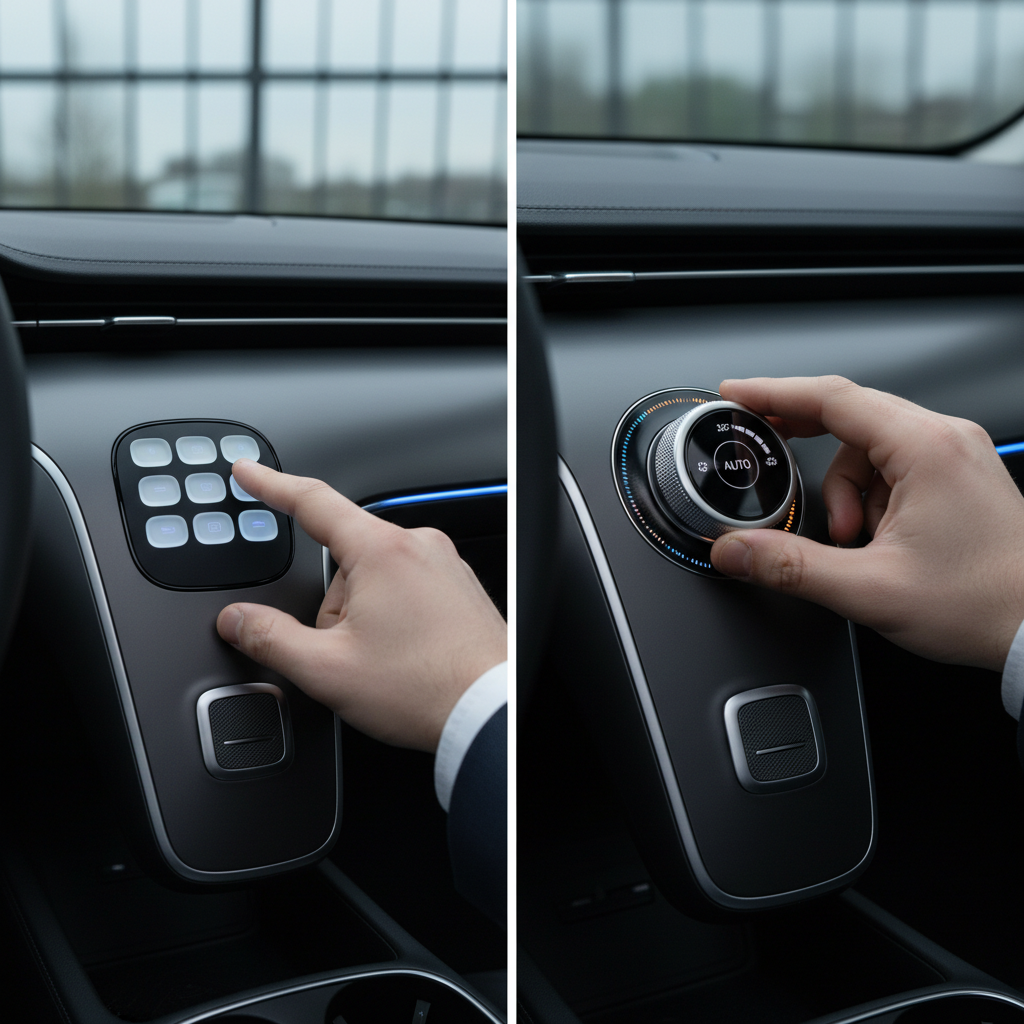
The Resurgence of Tactile Control: Why Physical Interfaces Matter in 2026
In an increasingly digital world, the pendulum is swinging back towards the tangible. The year 2026 marks a pivotal moment, especially in the automotive industry, where regulatory bodies like Euro NCAP are mandating the return of physical controls for critical functions to enhance safety. This movement underscores a broader recognition across various sectors—from consumer electronics to industrial equipment—that physical interfaces offer indispensable advantages that touchscreens often lack. Tactile feedback, the ability to operate by muscle memory without visual distraction, and inherent reliability in diverse conditions are driving this resurgence, ensuring that our interactions are not only intuitive but also safe and efficient.
Button Interfaces: Precision in Discrete Actions
Buttons are the workhorses of control interfaces, offering a straightforward and immediate way to trigger specific actions. Their design lends itself perfectly to discrete selections and binary operations, making them ideal for a multitude of functions.
Advantages of Button Interfaces:
- Clear, Immediate Action: Each button is typically assigned a single, unambiguous function, providing instant feedback upon press. This makes them highly effective for actions like “on/off,” “start/stop,” or mode switching.
- Space Efficiency for Specific Functions: Buttons can be compactly arranged to manage numerous distinct options, allowing for a feature-rich interface without overwhelming the user.
- Visual Clarity: With clear labels, icons, and often backlighting, buttons offer excellent visual cues, guiding users to the correct function quickly.
- Ideal for Menu Navigation: Systems employing “up,” “down,” “select,” and “back” buttons provide a structured and predictable way to navigate complex menus or lists.
- Quick for Binary Choices: For simple yes/no or mode toggles, a quick button press is often faster than any other interface.
|
Our Picks for the Best Electric pressure cooker in 2026
As an Amazon Associate I earn from qualifying purchases.
|
||
| Num | Product | Action |
|---|---|---|
| 1 | Instant Pot Duo 7-in-1 Electric Pressure Cooker, Slow Cooker, Rice Cooker, Steamer, Sauté, Yogurt Maker, Warmer & Sterilizer, Includes App with Over 800 Recipes, Stainless Steel, 8 Quart |

|
| 2 | Sweetcrispy 16-in-1 Electric Pressure Cooker 6QT, 12-Preset Multi Cookers with Ceramic Pot, Slow Cook Rice Steamer Sauté Soup Yogurt Maker and More, Recipe Book |
|
| 3 | NEWBULIG 16-in-1 Electric Pressure Cooker, 6QT Multi Cooker with 12 Presets, Slow Cook Rice Steamer Sauté Soup Meat Stew Canning Yogurt Maker, Ceramic Inner Pot & Recipe Book Included, Silver |
|
| 4 | Instant Pot Duo 7-in-1 Mini Electric Pressure Cooker, Slow Rice Cooker, Steamer, Sauté, Yogurt Maker, Warmer & Sterilizer, Includes Free App with over 1900 Recipes, Stainless Steel, 3 Quart |
|
| 5 | Instant Pot Duo 7-in-1 Electric Pressure Cooker, Slow Cooker, Rice, Steamer, Sauté, Yogurt Maker, Warmer & Sterilizer, Includes App With Over 800 Recipes, Stainless Steel, 6 Quart |
|
| 6 | COSORI Pressure Cooker 6QT, Stainless Steel, 9-in-1 Multi Cooker, 12 Safety Features, Ceramic Inner Pot, Rice, Slow Cook, Sous Vide, Saute, 1100W |
|
| 7 | Sweetcrispy 16-in-1 Electric Pressure Cooker 6QT, 12-Preset Multi Cookers with Ceramic Pot, Slow Cook Rice Steamer Sauté Soup Yogurt Maker and More, Recipe Book |
|
| 8 | Ninja HyperHeat 9-in-1 6.5-qt Pressure Cooker | Steams, Slow Cooks, Sears, Sautés, Sous Vide, Yogurt & More | With SimpliServe Pot | Powerful 1200-Watt | Blue Macaron | PC201 |
|
| 9 | Midea 12-in-1 Electric Pressure Cooker, 8 Quarts, 12 Presets, Multi-Functional Programmable Slow Cooker, Rice Cooker, Steamer, Sauté Pan, Yogurt Maker, and More, Stainless Steel |
|
| 10 | DUMOS 16-in-1 Electric Pressure Cooker, 6QT Programmable Multi Cooker with 12 One-Touch Presets, Soup Steam Yogurt and More, Ceramic Inner Pot Delay Start & Keep Warm, Includes Recipe Guide, Black |
|
Disadvantages of Button Interfaces:
- Less Intuitive for Continuous Adjustment: Fine-tuning values like volume, temperature, or duration can be cumbersome, often requiring repeated presses of “plus” or “minus” buttons.
- Potential for Clutter: An excessive number of buttons can lead to a busy, confusing interface, making it difficult for users to quickly locate the desired function.
- Limited Tactile Differentiation: If buttons are uniform in shape and size, it can be challenging to distinguish them by touch alone, necessitating visual confirmation.
Dial Knobs: The Art of Continuous Adjustment
Dial knobs, or rotary controls, excel where buttons fall short, providing a seamless and highly tactile method for continuous adjustments. They leverage our natural hand movements for intuitive manipulation of values.
Advantages of Dial Knobs:
- Excellent for Continuous Adjustments: Dials shine when adjusting parameters like volume, temperature, fan speed, timer settings, or oven temperatures, allowing for smooth, incremental changes.
- Superior Precision and Fine-Tuning: The rotary motion provides granular control, enabling users to make precise adjustments with ease, often more accurately than repeated button presses.
- Strong Tactile Feedback: Many dials feature detents or smooth resistance, offering distinct physical feedback that allows “eyes-off” operation and confirms each adjustment. This “muscle memory” is invaluable in scenarios requiring focus elsewhere.
- Combined Functionality: Modern dials often integrate a push-button function (e.g., push to select, turn to adjust), condensing multiple controls into a single, elegant component.
- Intuitive for Scaling Values: The physical act of turning naturally aligns with the concept of increasing or decreasing a value, enhancing user understanding.
Disadvantages of Dial Knobs:
- Less Suitable for Many Discrete Options: While a dial can select from a list, it becomes less efficient for a large number of distinct, unrelated functions compared to dedicated buttons.
- Slower for Large Incremental Changes: If a wide range of adjustment is needed, numerous rotations might be required, which can be slower than direct input via a numerical keypad or a series of buttons.
- Takes Up More Physical Space: A dial, especially one designed for comfortable grip and rotation, generally requires more panel space than a single button, which can be a design consideration for compact devices.
- Potential for Accidental Bumping: If not properly designed or recessed, a protruding dial knob might be accidentally nudged, leading to unintended changes.
When to Choose Which: Matching Interface to Function
The optimal choice between a button interface and a dial knob largely depends on the primary function and context of use. Thoughtful interface design harmonizes these elements to create a superior user experience.
When to Prioritize Button Interfaces:
Buttons are the go-to for tasks that demand clear, singular actions or selections from a defined set of choices. They are best suited for:
- On/Off and Power Controls: Simple, direct activation.
- Mode Switching: Cycling through cooking presets on an electric pressure cooker or changing wash cycles on a washing machine.
- Menu Navigation: Moving through options on a display screen.
- Preset Selection: Recalling stored settings with a single press.
- Emergency Stops: Requiring a distinct, often prominent, activation.
When to Prioritize Dial Knobs:
Dials excel in scenarios requiring continuous, nuanced adjustments or intuitive scaling. They are ideal for:
- Volume and Tone Control: Adjusting audio levels smoothly.
- Temperature and Fan Speed: Precise environmental adjustments in ovens, air conditioners, or smart thermostats.
- Timer and Duration Settings: Setting precise cooking times or countdowns.
- Precise Value Adjustments: Any function where fine-tuning a numerical or analog value is crucial.
- Rotary Selection with Visual Feedback: Selecting from a short list where the dial’s position maps directly to an option on a display.
The Future is Hybrid: Blending the Best of Both Worlds
The emerging trend for 2026 and beyond isn’t about exclusive reliance on one interface type, but rather a sophisticated integration that leverages the strengths of both. Hybrid interfaces are designed to offer the best of tactile precision and digital flexibility.
Many devices now feature a central dial knob with integrated push-button functionality, flanked by an array of dedicated buttons for specific modes or quick selections. This approach allows for intuitive continuous adjustments while retaining the immediate access of discrete buttons. Further innovations include smart physical controls that adapt their behavior or feedback based on the selected function, and advanced haptic feedback systems that bridge the gap between physical and digital, creating sensations of texture and resistance on surfaces.
This thoughtful fusion of buttons and dials, sometimes alongside context-aware screens, promises an intuitive, accessible, and safe user experience, making interaction with our technology smoother than ever.
Conclusion
The enduring debate between button interfaces and dial knobs highlights a crucial aspect of product design: the profound impact of user interaction on satisfaction and safety. As we move into 2026, the clear shift back towards physical controls, spearheaded by industries prioritizing safety and intuitive use, underscores the value of tangible feedback and muscle memory. While buttons offer precise, discrete actions, dials provide unparalleled control for continuous adjustments. The most effective designs will embrace a hybrid approach, strategically combining both interface types to match the function with the optimal user experience. Ultimately, the best interface isn’t the newest, but the one that empowers users with seamless, confident control over their devices.
What interface design elements do you find most crucial in your daily devices?
Frequently Asked Questions
Which interface type is better for accessibility: buttons or dial knobs?
Both buttons and dial knobs offer significant accessibility advantages over touchscreens, especially for individuals with visual impairments or motor control challenges. Buttons provide distinct tactile points for direct activation, while dials allow for precise, continuous adjustments with clear physical feedback, making them easier to manipulate without needing to look.
How do new safety regulations influence the choice between buttons and dials?
Starting in 2026, regulations like Euro NCAP emphasize the inclusion of physical controls (buttons, stalks, dials) for critical functions in vehicles. This trend, driven by the need to reduce driver distraction and enhance safety, encourages manufacturers to prioritize highly tactile and intuitive interfaces for frequently used and safety-critical operations.
Can button interfaces offer continuous adjustment like dial knobs?
While traditional buttons are designed for discrete actions, they can simulate continuous adjustment through “plus” and “minus” configurations. However, this often requires multiple presses and can be less intuitive or precise than the smooth, fluid motion of a dedicated dial knob, especially for fine-tuning a wide range of values.
Are dial knobs more durable than button interfaces?
The durability of both interface types largely depends on their construction quality and materials. High-quality dial knobs and buttons, particularly those made with robust mechanisms and durable plastics or metals, are generally designed for longevity. However, dials might be more susceptible to impact damage if they protrude significantly, while individual buttons can wear out with very frequent, heavy use.
What is a “hybrid interface” and why is it important for 2026?
A hybrid interface combines the strengths of both button and dial knob controls, often alongside digital displays. This approach is crucial for 2026 as it allows designers to offer the precision and tactile feedback of physical controls for critical or frequently adjusted functions, while leveraging digital screens for complex menus and data visualization, optimizing for usability, safety, and versatility across various applications.